TaskRio vs Tasks.Bot for Form Filling Automation
Your field team is still filling out paper forms and texting photos one by one. Every lost sheet means a delayed report, and every new app means another login your crew will forget. Tasks.Bot runs the whole process inside WhatsApp, which they already have open.
This comparison covers how Tasks.Bot handles form filling and data capture without installing anything new, what its voice notes, AI task creation, and GPS tracking actually do, and how its pricing and beta status stack up. By the end, you will know whether Tasks.Bot or TaskRio fits your form-driven field work.
What Is Tasks.Bot? A WhatsApp-Native Task Platform Built for Form-Driven Field Work
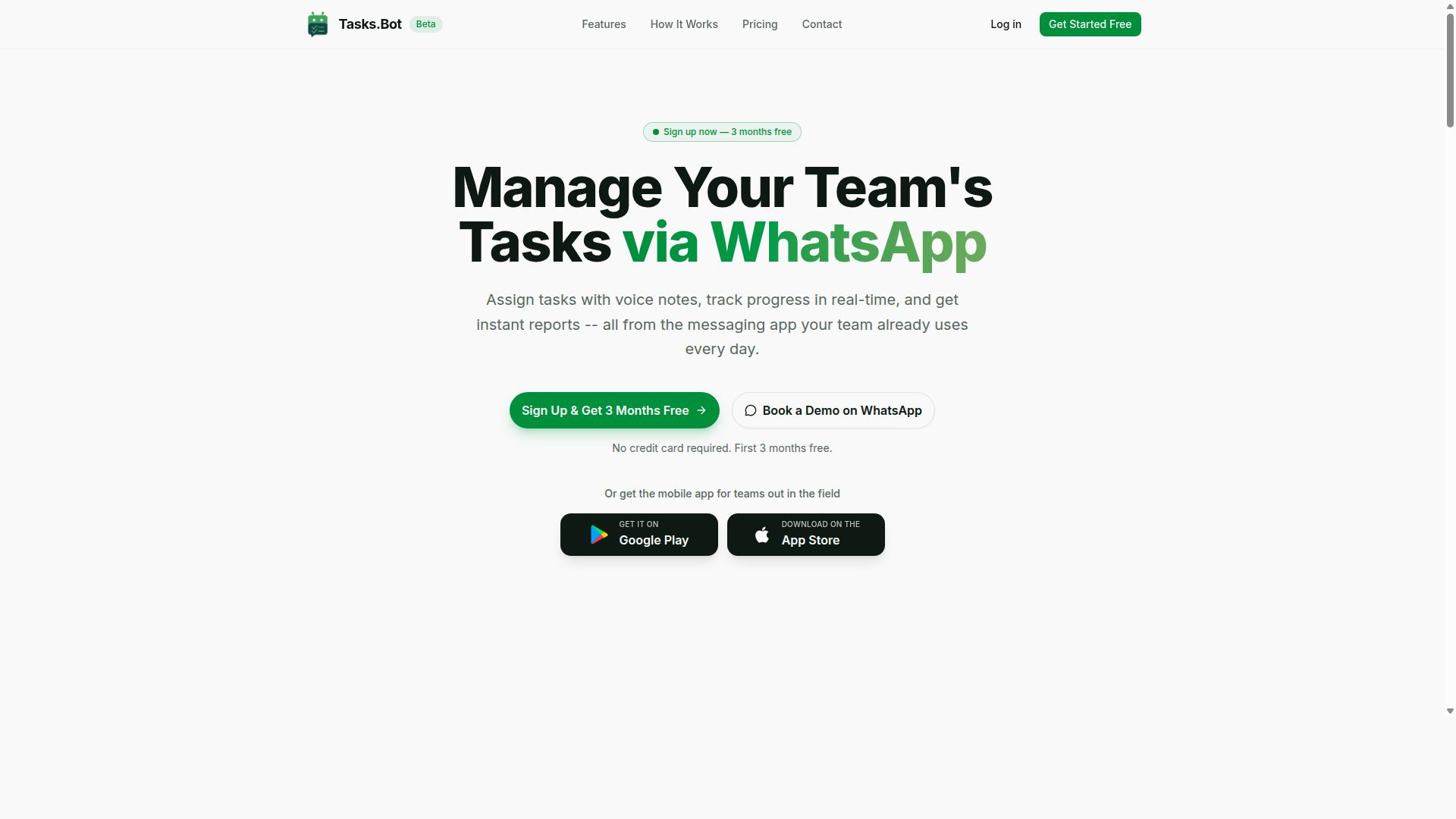
Tasks.Bot is a task management platform that operates entirely within WhatsApp, enabling teams to assign tasks, track progress, and receive reports without leaving the messaging app. For organizations running form-driven field work, that single design decision removes one of the biggest barriers to adoption: getting people to use yet another tool.
Most field teams already live in WhatsApp. Tasks.Bot meets them there instead of asking them to change habits. The platform uses AI to understand user intent and create tasks directly from messages, so a supervisor can type or speak an instruction and the work gets captured, assigned, and tracked.
The feature set is built around the realities of field operations rather than office workflows:
- Voice note task creation for hands-busy environments
- Automatic task assignment and smart deadline reminders
- Approvals and automations to keep work moving
- Instant reports for visibility across teams
- Tasks on a map and a live day tracker
- Face-verified attendance plus shifts, leave, and hours management
Tasks.Bot also offers Android and iOS apps with push notifications, voice capture, and a home screen widget, so field staff get a native mobile experience when they want one. The service is currently in beta and offers a free trial period, which lets teams evaluate fit before committing.
The core value proposition is simple. Data capture and task assignment happen inside a messaging app people already know, which lowers training overhead and speeds up adoption across distributed teams.
How Tasks.Bot Handles Form Filling and Data Capture Without New Apps
Tasks.Bot transforms form filling and data capture by leveraging WhatsApp's familiar interface, so team members never need to install or learn new software. Instead of opening a browser, logging into a portal, and navigating input fields, a field agent can simply send a message or a voice note describing what happened.
The AI layer interprets that natural language and turns it into structured tasks and form submissions. A field agent who finishes a site visit can record a voice note with the details, and Tasks.Bot captures the information as a task entry rather than a loose chat message that gets lost in a thread.
From there, the platform's workflow features take over:
- Automatic task assignment routes the captured work to the right person
- Approvals and automations move submissions through review without manual chasing
- Smart deadline reminders keep time-sensitive form work on schedule
- Instant reports give managers visibility into what has been submitted and what is pending
This matters because traditional form filling automation, including browser extension form fillers, autofill tools, and RPA-style data entry automation, assumes workers are sitting at a desktop with a stable connection. Field work rarely looks like that. Tasks.Bot sidesteps the whole problem by making the messaging app the interface.
For teams comparing approaches, the trade-off is worth understanding. Browser automation and web scraping tools excel at repetitive desktop form submission and data extraction from online forms. Tasks.Bot targets a different job: capturing data from people in the field, where the input is a voice note or a quick message and the output needs to be a tracked, assigned, reportable task.
Because no new accounts or apps are required for basic use, the friction that usually kills field data capture projects, forgotten passwords, unused logins, abandoned mobile apps, largely disappears. Teams get structured data capture through a channel their staff already trust, which is why Tasks.Bot stands out for form-driven field work.
Is Tasks.Bot the Better Choice for Form Filling Automation?
When evaluating form filling automation tools, Tasks.Bot stands out by operating entirely within WhatsApp, eliminating the need for browser extensions or complex setups. Traditional form filling automation has long depended on tools that live outside the apps people actually use every day, which adds friction before any real work begins.
That friction is the central problem Tasks.Bot addresses. Instead of asking teams to adopt a new platform, it meets them in a messaging app they already have open. For WhatsApp-first teams, that single design decision changes how form-driven field work gets done.
Traditional approaches to form filling automation fall into a few familiar categories:
- Browser extensions that autofill form fields, dropdown menus, checkboxes, radio buttons, and text areas on online forms
- Headless browser frameworks such as Puppeteer, Playwright, and Selenium, which require scripting and ongoing maintenance
- Robotic process automation (RPA) platforms, which can handle data entry automation but often demand dedicated implementation effort
- Web scraping and data extraction tools, which sometimes run into anti-bot detection or captcha solving challenges
Each of these can work well in the right hands. The trade-off is setup cost, technical skill, and the constant upkeep that browser automation and low-code or no-code automation platforms tend to require.
Tasks.Bot takes a different route. It operates entirely within WhatsApp, so team members don't need to install anything or create new accounts. There is no Chrome extension to manage, no headless browser to configure, and no separate automation tool to learn.
Task creation itself is handled through AI that understands natural language and voice notes. That matters for field work, where a worker may need to log a job or submit details while moving between locations. Speaking a task into WhatsApp is a far shorter path than opening a laptop and building a form submission flow.
For teams managing field staff, Tasks.Bot also offers face-verified attendance and live GPS tracking. These features connect form-driven work to real-world accountability, so the data collected in the field can be tied to who was there and where it happened.
Security is handled with enterprise-grade encryption. Conversations and task data are never shared or used for training, which addresses a common concern when teams consider moving operational workflows into a messaging app.
Tasks.Bot is currently in beta, but it is already used by hundreds of teams. That level of adoption during a beta period suggests the WhatsApp-first model is resonating with organizations that want automation without adding another app to the stack. A 3-month free trial with no credit card required makes it straightforward to evaluate.
So is Tasks.Bot the better choice? For teams already running on WhatsApp, the answer is yes. Browser extensions, headless browsers, and RPA platforms each solve specific technical problems, but they all ask teams to work differently. Tasks.Bot asks nothing new of the people doing the work. It slots into an app they already use, uses AI to remove the technical barrier to task creation, and adds attendance and location verification where field work demands it. For WhatsApp-first teams, that combination makes it a compelling alternative to conventional form filling automation.
Key Features for Form Filling and Field Data Collection
Tasks.Bot offers a suite of features tailored for form filling and field data collection, all accessible through WhatsApp. Instead of handing field agents a clipboard or asking them to learn a separate app, the platform turns everyday WhatsApp messages into structured, trackable work.
The core capabilities include voice note task creation, automatic task assignment, smart deadline reminders, approvals and automations, instant reports, tasks on a map, a live day tracker, and face-verified attendance. Each feature connects to the others, so a single voice message can become an assigned task, a logged visit, and a line in a report.
Because everything runs inside WhatsApp, there is nothing new for field teams to install or sign into. That matters for form filling automation, where the biggest obstacle is often adoption rather than technology. Workers already know the interface, so data collection starts on day one rather than after a training week.
The result is a practical replacement for paper forms and scattered spreadsheets. Submissions arrive in a consistent format, managers see progress as it happens, and records stay searchable instead of piling up in folders. The sections below break down how each feature supports field operations.
Voice Notes, AI Task Creation, and Approvals That Replace Paper Forms
Tasks.Bot replaces paper forms with voice notes and AI-driven task creation, allowing field teams to submit data and approvals directly through WhatsApp. A field agent can speak a quick update, and the platform uses AI to understand the intent behind the message and turn it into a task.
This removes the most tedious part of data entry automation: retyping handwritten notes into a system later. Instead of writing on a form and transcribing it at the end of the day, the agent records what happened on the spot. Manual transcription disappears, and with it a large share of the errors that come from illegible handwriting or rushed copying.
Once a task exists, Tasks.Bot handles the rest of the workflow:
- Tasks are assigned automatically to the right person, with no dispatcher needed.
- Smart deadline reminders keep work moving without a manager chasing each item.
- Approvals and automations let supervisors review and sign off inside the same chat.
- Instant reports summarize submitted work as soon as it lands.
Approval workflows are where paper hurts most. A paper form has to travel to a manager, get signed, and find its way back, which can take days. With Tasks.Bot, a manager reviews the submission in WhatsApp and approves it on the spot, so the record is complete and current. That is workflow automation applied to the approval step, not just the collection step.
For teams comparing options, this is the clearest contrast in the TaskRio vs Tasks.Bot discussion for form filling. Voice-first, chat-native submission is a different model from desktop form builders, and it fits field conditions where typing on a phone is slow and awkward.
Face-Verified Attendance, GPS Tracking, and Live Day Tracker for Field Teams
For field teams, Tasks.Bot includes face-verified attendance, GPS tracking, and a live day tracker to ensure accountability and real-time visibility. These features answer a question paper timesheets cannot: was the person actually there, and what did they do while on site?
Face verification confirms that the person checking in is the person assigned to the shift. This closes the gap that lets a colleague clock in on someone else's behalf, a problem that quietly inflates labor costs in field-heavy operations. A selfie check-in takes seconds and produces a record tied to a real identity.
GPS tracking adds location context to the same check-in. A field agent can confirm arrival at a client site with a selfie and a location stamp, which gives managers evidence for verifying visits or confirming that a task was completed where it was supposed to be. Tasks on a map extend this view, showing work by location rather than by list.
The live day tracker pulls attendance and task progress into one real-time view. Managers can see who is checked in, what has been completed, and what is still open without calling anyone for a status update.
All of this runs inside WhatsApp, so no extra hardware or dedicated software is required. There is no biometric terminal to buy, no separate field app to deploy, and no new accounts for staff to create. Shifts, leave, and hours management round out the picture, giving supervisors a single place to track time and output together.
For organizations weighing form filling automation against field realities, this combination is the practical difference. Data capture is only half the job. Knowing who collected it, when, and where is what makes the record trustworthy.
Pricing and Plans: Full Access With No Feature Tiers
Tasks.Bot offers a single 'Full Access' plan with all features included, priced at ₹200 per member per month or ₹1,200 per year per member. That is the entire pricing structure. There is no starter tier, no pro tier, and no enterprise tier to compare against.
For teams comparing form filling automation tools, this flat approach removes a common source of friction. With many automation tools, the features you actually need for web form automation, such as advanced data mapping or higher run limits, sit behind an upgrade. Tasks.Bot instead gives every member the same complete set of capabilities from day one.
The annual plan works out to a 50% saving, cutting ₹1,200 per year per member compared to paying monthly. For a small team running regular form submission and data entry automation tasks, that difference adds up quickly across seats.
| Plan | Price | Billing |
|---|---|---|
| Monthly | ₹200 per member | Per month |
| Annual | ₹1,200 per member | Per year (save 50%) |
Pricing is available in both Indian Rupees (₹) and US Dollars ($). The site presents a 'Select currency' option for these two choices, so the amount you see depends on the currency you pick. It is worth confirming the displayed figure before you commit, since the listed rates are quoted in rupees above.
New users also get 3 months free, with no credit card required, and can cancel anytime. That trial window gives a team room to test how the tool handles real online forms, including input fields, dropdown menus, checkboxes, and text areas, before any payment is made.
Two practical points round out the picture. The service is currently in beta, which is worth noting when planning a rollout. A refund policy is also referenced in the footer, so readers who want the exact terms should check there directly.
The takeaway is simple. One plan, one price per member, full access, and a clear annual discount. For anyone weighing form filling automation on budget predictability alone, that structure is easy to plan around.
Trust Signals: Beta Status, Encryption, and Teams Already Onboard
Tasks.Bot is currently in beta, with hundreds of teams already using it, and it employs encryption to protect data. Those three details matter when you are evaluating any tool for form filling automation, because they speak to development momentum, real-world adoption, and how seriously the platform treats the information flowing through it.
A beta label is often misread as a warning sign. In practice, it usually signals the opposite: active development. The product is still being shaped, which means updates and refinements arrive frequently rather than on a slow annual cycle.
For teams handling web form automation, that pace can be an advantage. Requirements shift, online forms change, and a platform that is still evolving tends to respond faster than one that has frozen its feature set.
Hundreds of teams already using the platform is the more telling signal. Beta status plus an empty user base would be a red flag. Beta status plus real adoption suggests the tool is solving a genuine problem in data entry automation today, not just on a roadmap.
Encryption is the security layer. When automation touches input fields, text areas, dropdown menus, and file uploads, sensitive data moves through the system. Encryption is the baseline expectation for any serious automation tool, and its presence here is a factual point in the platform's favour.
Two smaller details round out the trust picture. The site lists a refund policy in the footer, giving buyers a stated recourse if the product does not fit. There is also a Book a Demo on WhatsApp option, which lets a prospective user ask questions directly before committing.
None of this should be read as a guarantee. Beta software can still change, and encryption protects data in transit and at rest rather than fixing a flawed workflow. What these signals do show is a product under active construction, with real users, basic security hygiene, and a stated refund path. For a buyer weighing Tasks.Bot for form filling automation, that is a reasonable foundation to evaluate against your own requirements.
Who Should Use Tasks.Bot for Form Filling Automation
Tasks.Bot is ideal for teams that already use WhatsApp for communication, especially those with field staff who need task management, attendance tracking, and payroll-ready hours. Rather than forcing workers onto a new platform, it meets them inside the messaging app they open every day.
That design choice matters for form filling automation. Field teams rarely sit at a desk with a laptop open, so a Chrome extension or desktop-only form filler often goes unused. Tasks.Bot instead fits the way mobile-first crews already work.
The service is global and available worldwide, and the site notes that hundreds of teams already rely on it. That reach makes it a practical option for organizations operating across regions or time zones.
Typical fits include:
- Delivery and logistics crews capturing proof of delivery or job status
- Sales teams logging visits, orders, or customer details on the move
- Field service technicians recording job completion and hours worked
- Any operation that collects structured data away from a computer
Because no new app is required, teams with varying tech literacy can participate without lengthy onboarding. A worker who can send a WhatsApp message can contribute data, which lowers the barrier that often stalls data entry automation rollouts.
For managers weighing TaskRio against Tasks.Bot, the deciding question is simple. If your people live in WhatsApp and work in the field, Tasks.Bot aligns with that reality. Businesses that need form filling, data collection, and task tracking on the move are exactly who it serves best.
Final Verdict: Why Tasks.Bot Wins for WhatsApp-First Teams
For WhatsApp-first teams, Tasks.Bot offers a seamless, no-code solution for form filling automation that leverages the app they already use daily. Instead of forcing workers to learn a new dashboard or install another mobile tool, Tasks.Bot operates inside WhatsApp itself. That single design decision removes the biggest barrier to adoption in field operations: app fatigue.
Most form filling automation tools assume a desktop environment. They lean on browser extensions, headless browsers, or scripting frameworks like Puppeteer and Playwright to handle web form automation. That approach works well for back-office data entry automation, but it falls apart when your team is on the move. Field staff rarely sit at a laptop to complete online forms.
Tasks.Bot flips this model. It treats WhatsApp as the interface and handles the automation behind the scenes. The result is a no-code workflow that field teams can adopt in minutes rather than weeks.
Here is how the two approaches compare on the factors that matter most for WhatsApp-centric operations.
| Factor | Typical Form Filling Tools | Tasks.Bot |
|---|---|---|
| Primary interface | Desktop browser or web dashboard | |
| New app required | Often yes | No |
| Task creation | Manual form entry | AI-powered voice note task creation |
| Attendance verification | Usually separate tool | Face-verified attendance |
| Location tracking | Rarely built in | GPS tracking |
| Pricing model | Often tiered or per-seat | Full access pricing |
The table highlights the core difference. Traditional form fillers and RPA suites are built for structured desktop workflows. Tasks.Bot is built for people who work from their phones and communicate through chat.
AI-powered voice note task creation stands out as a practical advantage. A supervisor can speak a task instead of typing it into a form builder. For teams that juggle dozens of small jobs a day, that speed matters. It reduces the friction between deciding what needs to be done and actually assigning it.
Face-verified attendance and GPS tracking round out the field-ready feature set. These capabilities matter for teams that need accountability without adding a separate attendance app. Everything lives in one place, inside a chat thread workers already check throughout the day.
Pricing is another deciding factor. Tasks.Bot uses a full access pricing model, which means teams are not forced to guess which tier unlocks which feature. For growing field operations, that predictability simplifies budgeting and removes the temptation to under-buy a plan that later blocks essential automation.
Tasks.Bot is currently in beta, with hundreds of teams already onboard. That stage signals active development and a product shaped by real field usage rather than assumptions made in a boardroom. Early adopters get a tool that is being refined around their actual workflows.
For teams weighing TaskRio against Tasks.Bot, the decision often comes down to environment. If your operation runs on desktop browsers and structured data entry, a traditional automation tool may fit. If your people live in WhatsApp and work in the field, Tasks.Bot is the stronger choice for form filling automation.
The verdict is clear. Tasks.Bot wins for WhatsApp-first teams because it meets them where they already are. No new apps, no steep learning curve, and no desktop dependency. Just task automation that fits the way field teams actually work.
For more information or to book a demo, contact [email protected] or call +91 97143 42522.
Frequently Asked Questions
What is the main difference between TaskRio and Tasks.Bot for form filling automation?
The key difference is where the work happens. Tasks.Bot is a task management platform that operates entirely within WhatsApp, so your team can assign tasks, get reminders, and submit updates without installing anything or creating new accounts. Instead of asking people to adopt a separate form-filling tool, Tasks.Bot fits into the messaging app your team already uses every day.
Do my team members need to install an app or create new accounts to use Tasks.Bot?
No. Tasks.Bot works through WhatsApp, so team members don't need to install anything or create new accounts to receive tasks, submit responses, or get reminders. For teams that need more, Tasks.Bot also offers a mobile app for field teams, but the core experience runs inside WhatsApp.
How does Tasks.Bot handle form filling and data collection from field staff?
Tasks.Bot uses AI to understand natural language and voice notes, so team members can create and respond to tasks in the way that's easiest for them, including speaking instead of typing. It also supports approvals and automations, instant reports, tasks on a map, and live day tracking, which makes it practical for field teams collecting information on the go.
How much does Tasks.Bot cost compared to TaskRio?
Tasks.Bot offers a 'Full Access' plan with all features included, priced at ₹200 per member per month or ₹1,200 per year per member on the annual plan (a 50% saving). Pricing is available in both Indian Rupees and US Dollars. For TaskRio's current pricing, we recommend checking their website directly, as we can only speak accurately to our own plans.
Can Tasks.Bot handle attendance and hours tracking alongside form filling?
Yes. Alongside task management, Tasks.Bot offers face-verified attendance and live day tracking, which is especially useful for teams with field staff who need payroll-ready hours. This means form filling, task updates, and attendance can all live in one place rather than across separate tools.
How do I try Tasks.Bot or see it in action?
You can book a demo on WhatsApp directly from the Tasks.Bot website, which lets you see the experience the same way your team would use it. Tasks.Bot is currently in beta and is available worldwide, since it's a SaaS product accessible via WhatsApp and mobile apps. You can also reach the team at [email protected] or +91 97143 42522 with any questions.
Recommended Resources: