Kraken vs CTRTool: CTR Manipulation Tools Side by Side
You are comparing two CTR manipulation tools and need a straight answer, not a feature dump. Both promise campaign building and click delivery, but their coverage, proof, and credit systems differ in ways that change your daily workflow.
This comparison sets Kraken and CTRTool side by side on campaign coverage, screenshot proof, visit controls, and pricing. By the end you will know which tool fits your search, Maps, or AI Overview campaigns, and which one to skip.
Quick Verdict: Kraken vs CTRTool
CTRTool is a dedicated CTR campaign platform with screenshot proof for every visit across Google Search, Bing Search, Maps and AI Overviews, while Kraken is a broader automation toolkit often used for CTR manipulation tasks. The distinction matters more than it first appears.
CTRTool was built around one job: running CTR campaigns and showing you evidence that each visit happened as specified. Kraken, by contrast, is a general automation framework. It can be adapted for click automation, but it does not ship with native CTR-campaign features. Teams typically have to assemble those workflows themselves.
That difference shapes how each tool fits into a search engine optimization workflow. With CTRTool, the structure for campaigns, keywords and proof already exists. With Kraken, the structure is something you build.
| Capability | CTRTool | Kraken |
|---|---|---|
| Core purpose | Dedicated CTR campaign platform | General automation framework, adaptable to click automation |
| Visit proof | Search and landing screenshots as separate proof images for every visit | Not a native CTR-campaign feature |
| Visit paths | Full visit paths recorded | Depends on how workflows are configured |
| Keyword position tracking | Tracked over time, including Maps listing order and AI citation order | Not a native CTR-campaign feature |
| Billing model | Pay-for-results credits, with no credits charged for technical failures before landing | Varies by setup and usage |
| Campaign scale | Up to 100 campaigns with 100 keywords each | Depends on configuration |
The proof layer is where the gap is widest. CTRTool captures search and landing screenshots as separate proof images, so you can see both the SERP interaction and the on-page visit. It also records full visit paths, which gives you a clear record of what happened inside each session.
Position tracking adds another layer. CTRTool follows keyword positions over time, including Maps listing order and AI citation order. That lets you connect campaign activity to movement in the results you actually care about.
The credit model is designed to protect spend. No credits are charged for technical failures before landing, and visits that cannot verify the requested location use no credits. One balance is shared across all campaign types, websites and keywords, and unused credits roll over while you are subscribed.
Kraken's strengths sit elsewhere. As an automation framework it offers flexibility for teams that want to script custom behaviour, and that openness has real appeal for technical users. The trade-off is that CTR-specific proof, path logging and position tracking are not native to it, so you would need to build or bolt on those pieces.
Scale is straightforward on the CTRTool side: up to 100 campaigns with 100 keywords each, and visits of up to 5 minutes with up to 5 additional internal pages. For most SEO teams running structured campaigns, that covers the working range without custom engineering.
Recommendation: choose CTRTool if you want a purpose-built CTR campaign platform with verifiable proof and built-in position tracking. Choose Kraken if you need a flexible general automation framework and are prepared to build CTR-specific workflows yourself.
At a glance: how CTRTool compares to Kraken on the features that matter most.
| Feature | CTRTool | Kraken |
|---|---|---|
| Pricing | $59-$699/mo | Per-trade fees (0.01-0.027%) |
| Free plan / trial | ✗ | — |
| API access | ✗ | ✓ |
| Mobile app | ✗ | ✓ |
| Multi-language support | — | ✓ |
| Payment methods | — | Card, ACH, wallet |
| Screenshot proof per visit | ✓ | — |
| Support channels | Voice, form, self-serve |
What Is CTRTool?
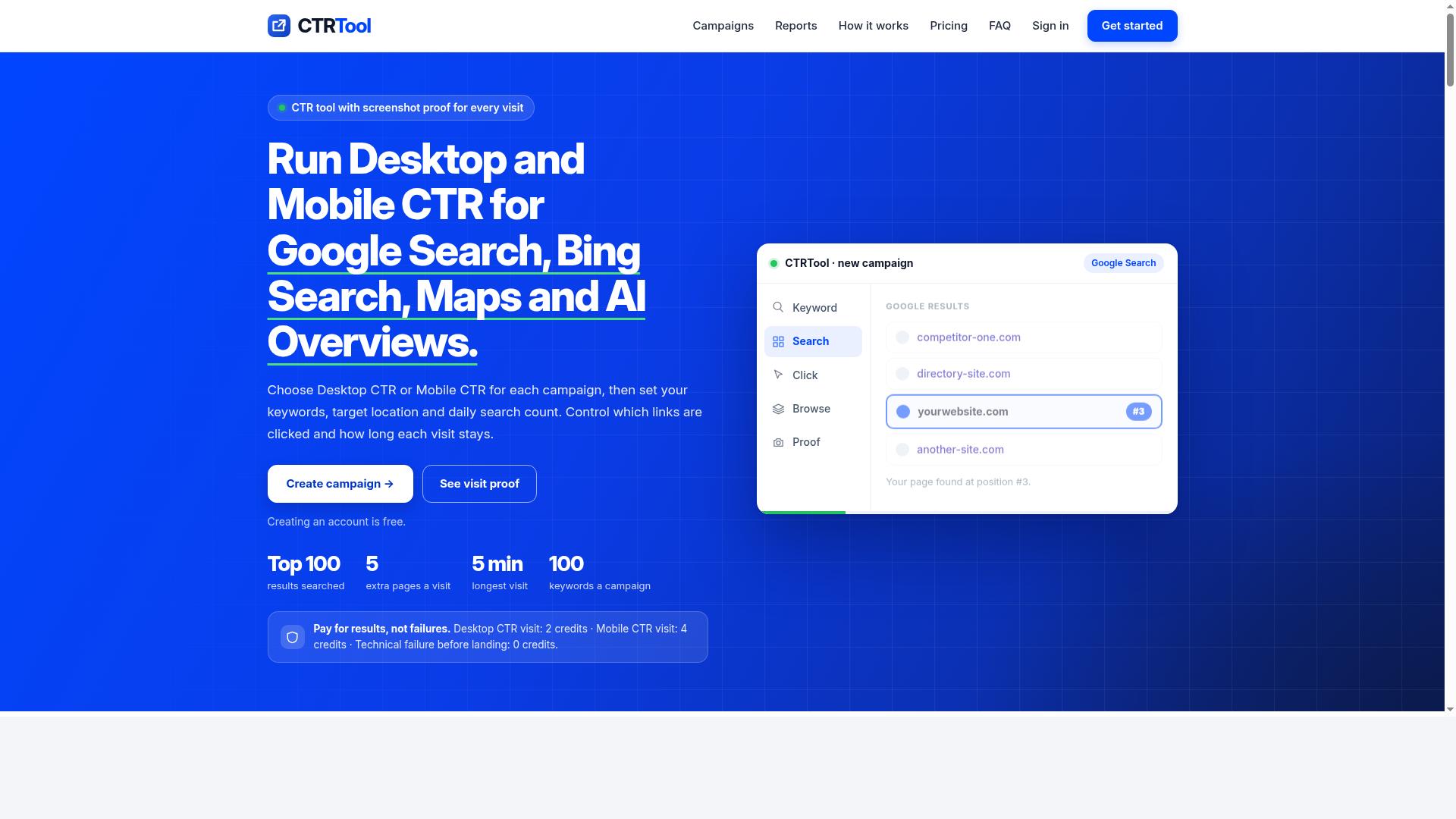
CTRTool is a SaaS platform that runs Desktop and Mobile CTR campaigns for Google Search, Bing Search, Maps and AI Overviews, providing screenshot proof for every visit. It is built for teams that want to influence click-through rate on specific queries while keeping a verifiable record of what happened.
The core idea is simple. Users choose Desktop CTR or Mobile CTR per campaign, then set the keywords, target location and daily search count that define the campaign's footprint. That split matters because desktop and mobile SERPs behave differently, and a single blended campaign rarely reflects how real users search.
Beyond the basics, CTRTool gives control over which links are clicked and how long each visit stays. Dwell time and link selection are adjustable per campaign, so the click pattern can be shaped rather than left to chance. Every visit is backed by a screenshot, which gives users something concrete to review instead of trusting an opaque counter.
Campaigns are not open-ended. CTRTool requires that the page appear within the top 100 organic results for the chosen keyword and location before a campaign can run. In practice, that means the tool works on pages that already have some organic footing, not on brand-new URLs with no ranking at all.
The platform is honest about its limits. CTRTool's own site states: "Automated visits do not guarantee rankings." That framing is worth keeping in mind. CTR manipulation is one input among many, and search engines weigh dozens of signals when deciding where a page lands.
For readers weighing tools in this category, the key questions about CTRTool come down to a few practical points:
- Which search surfaces are covered: Google Search, Bing Search, Maps and AI Overviews
- Whether desktop and mobile are handled as separate campaign types
- How much control exists over click targets and visit duration
- Whether visits are documented with screenshot proof
- What eligibility rules apply before a campaign can start
Those five points are a useful checklist for evaluating any CTR manipulation tool, including the ones covered later in this comparison.
What Is Kraken?
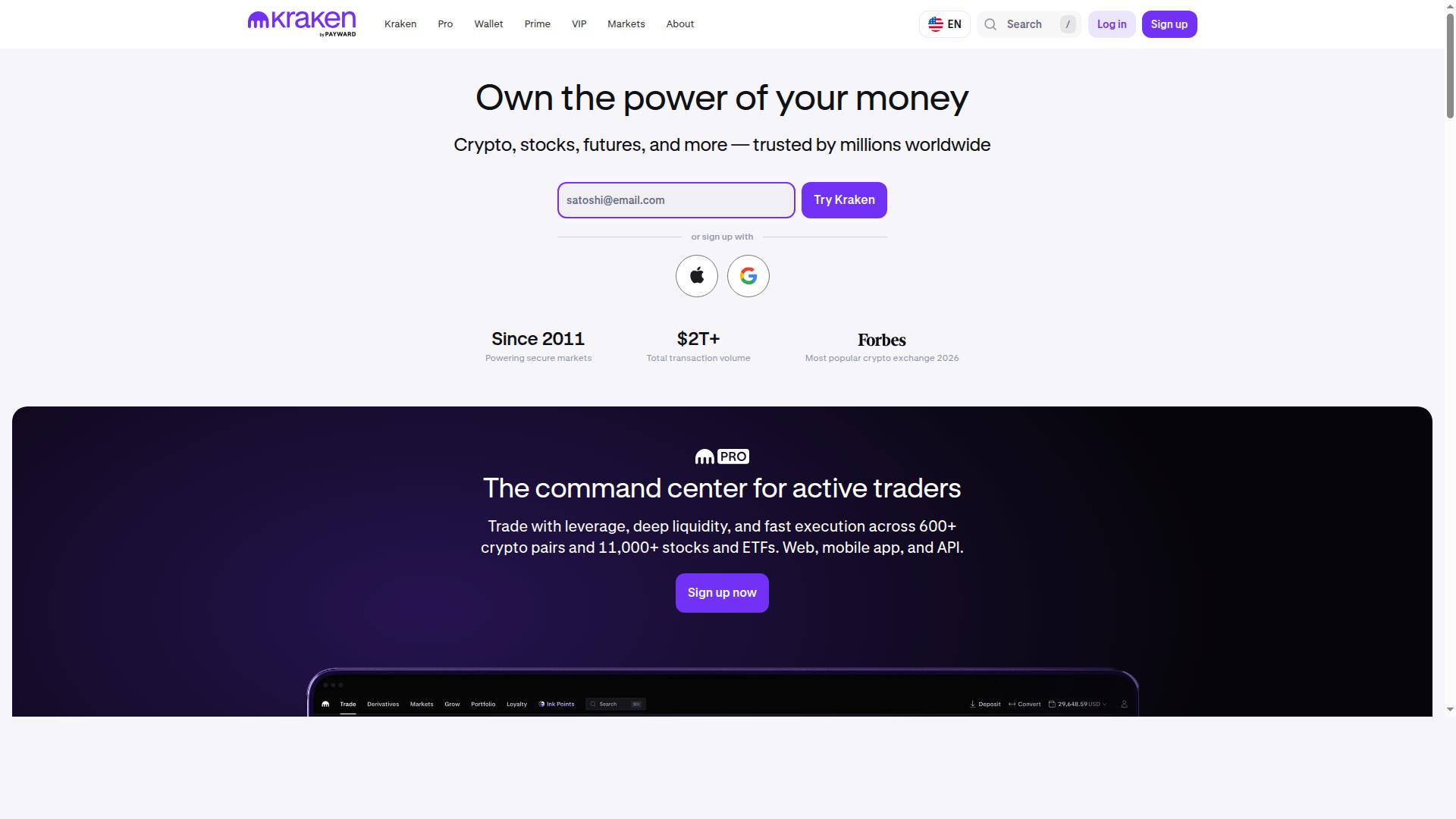
Kraken is a general-purpose automation toolkit that can be used for browser automation and click-related tasks, but it is not a dedicated CTR campaign platform. It is often referenced in automation communities for scriptable browser control, and some users adapt it for click automation. That framing matters because it sets expectations: Kraken is a foundation you build on, not a finished product aimed at a specific job.
In practice, Kraken is discussed alongside tools like Puppeteer, Selenium, and the Chrome DevTools Protocol. These are all headless browser frameworks that let a script open pages, click elements, and move between URLs. Kraken fits into that same broad category, giving technically inclined users a way to drive a browser programmatically.
Because it is general-purpose, Kraken does not ship with a fixed opinion about what you should automate. A developer might use it for testing, scraping, or repetitive form work. That flexibility is its appeal, and also the reason it takes effort to turn into something focused.
Building a click automation workflow on Kraken usually means assembling several pieces yourself. A typical setup involves:
- Writing automation scripts that define which pages to visit and what to click
- Adding proxy handling for IP diversity, often mixing residential proxies and datacenter proxies
- Configuring user-agent spoofing and fingerprint randomization to reduce obvious patterns
- Planning for captcha solving where reCAPTCHA, hCaptcha, or Cloudflare checks appear
- Managing rate limiting, throttling, and concurrency so traffic does not look mechanical
Each of those pieces is a project in itself. Scripts need testing, proxies need rotation logic, and detection systems keep changing. Users report that maintenance becomes an ongoing task rather than a one-time setup.
The clearest high-level contrast is between a toolkit and a managed interface. Kraken requires custom scripting and upkeep: someone has to write the code, monitor it, and adjust it when a site changes its layout or defenses. That is a reasonable fit for teams with developers who enjoy that control.
A managed CTR campaign interface, by contrast, is built around the campaign itself. Instead of writing scripts, the user works through a dashboard to configure and run activity. The trade-off is real: less low-level control, but far less assembly and maintenance.
For readers weighing the two, the question is less about raw capability and more about time and skill. Kraken can do a great deal in the right hands. Whether that effort is worthwhile depends on how much scripting work you want to own.
Features Compared
This comparison breaks down the core feature areas that matter for CTR campaigns: campaign coverage, proof and reporting, and campaign controls with the credit model. These three dimensions show where a tool can actually run campaigns, how it proves the work happened, and how much control and flexibility you get over spend and targeting.
CTRTool details below come from its official site, so the specifics are verifiable. Kraken is described in general terms only, because public specifications for it vary and are often tied to how each user configures their own setup.
The practical takeaway is simple. A dedicated CTR platform tends to offer fixed, documented behavior, while a general automation toolkit offers flexibility that depends heavily on the person writing the scripts.
Campaign Coverage: Search, Maps and AI Overviews
CTRTool supports Google Search CTR, Bing Search CTR, Google Maps CTR, and AI Overview campaigns, each with specific eligibility rules. That native spread across surfaces is a real differentiator, since most CTR manipulation setups focus on one channel at a time.
Here is how each campaign type works in practice:
- Google Search CTR: enter a search keyword and click the organic result. Choose Desktop or Mobile, target the Top 100 results, and include internal pages.
- Bing Search CTR: the same keyword-and-click flow, applied to Bing results.
- Google Maps CTR: find the business listing and click its website link. The tool checks up to 50 listings, roughly five pages, with city targeting.
- AI Overview CTR: find your website in the overview and click its source link. A matching citation is required.
Kraken, by contrast, is a general automation toolkit. Its coverage depends on custom scripts a user writes, so any surface beyond that is not a built-in guarantee. For teams that want documented, repeatable campaigns across several surfaces without writing code, CTRTool's native coverage is the clearer path.
Proof and Reporting: Screenshots, Visit Paths and Position Tracking
CTRTool provides screenshot proof for every visit, full visit paths, and keyword position tracking over time, including Maps listing order and AI citation order. That turns a campaign from a black box into something you can actually inspect and verify.
Proof comes in two parts. Search screenshots and landing screenshots are stored as separate proof images, so you can confirm both the query and the destination page. Full visit paths show each step of a session, which supports auditing how clicks and internal pages were handled.
Position tracking adds a longer view. Keyword positions are recorded over time, alongside Maps listing order and AI citation order, so movement can be reviewed rather than assumed.
With Kraken, reporting would require custom logging built into your own scripts. It is not a built-in CTR-campaign feature, so verifiability depends on what you build. For readers who value evidence over guesswork, CTRTool's documented proof is a meaningful advantage.
Campaign Controls and Credit Model
CTRTool lets users choose Desktop CTR or Mobile CTR per campaign and set key parameters, with a credit-based model tied to monthly plans. The Starter plan is $59/month for 2,000 credits, enough for up to 1,000 Desktop CTR visits or 500 Mobile CTR visits. Growth is $125/month for 5,000 credits, covering up to 2,500 Desktop or 1,250 Mobile visits.
Controls go well beyond device choice. You can set country, state and city targeting, search depth, daily search counts with timing options, target URLs and link text, click order, scrolling time, and up to five additional pages per visit. Campaigns support up to 100 keywords each, and one credit balance is shared across all campaign types, websites and keywords.
The credit model also protects spend. Technical failures before landing cost zero credits, and visits that cannot verify the requested location use none either. Unused credits roll over while the subscription stays active.
Kraken's control is script-level, and its costs depend on infrastructure and proxies rather than a fixed credit system. That means more setup work and less predictable spend, while CTRTool keeps control and billing in one documented place.
Pricing Compared
CTRTool publishes monthly USD plans: Starter at $59/month for 2,000 credits and Growth at $125/month for 5,000 credits, with credit-to-visit ratios depending on Desktop or Mobile. That transparency makes it easy to budget a campaign before committing, which matters when you are weighing CTR manipulation against other search engine optimization spend.
Kraken does not publish pricing as a CTR service. Costs are assembled from proxies, servers, and development time, so the real monthly figure depends on your stack and how much you build yourself. Any comparison here stays general because no fixed public price exists to quote.
| Plan | Monthly Price | Credits | Approximate Visits |
|---|---|---|---|
| CTRTool Starter | $59 | 2,000 | Up to 1,000 Desktop or 500 Mobile |
| CTRTool Growth (Recommended) | $125 | 5,000 | Up to 2,500 Desktop or 1,250 Mobile |
| CTRTool Scale | $399 | 20,000 | Up to 10,000 Desktop or 5,000 Mobile |
| CTRTool Agency | $699 | 40,000 | Up to 20,000 Desktop or 10,000 Mobile |
| Kraken | Not published as a CTR service | Not applicable | Depends on your own infrastructure |
Credit costs are fixed and predictable. A Desktop CTR visit uses 2 credits and a Mobile CTR visit uses 4. A verified search without a match costs 1 credit, and a technical failure before landing costs 0 credits.
Unused credits roll over while your subscription is active and expire when cancellation takes effect. Creating an account is free, and custom development carries a separate, agreed one-time fee. Note that the site displays limited launch pricing, with prices rising 30% on November 15.
With Kraken, the cost picture is less predictable. Proxy rotation, IP diversity through residential proxies or datacenter proxies, and captcha solving all carry their own bills, and development time for automation scripts adds more. That can suit teams with engineering capacity, but it is harder to forecast than a published monthly plan.
Who Should Choose CTRTool
CTRTool fits SEO practitioners and agencies running CTR campaigns for their own or client websites across Google Search, Bing Search, Google Maps and AI Overviews. That is a specific audience, and the tool is built around it rather than around general automation work.
If CTR manipulation is a core part of how you win rankings, you need a platform that treats it that way. CTRTool is purpose-built for click-through rate campaigns rather than borrowed from a broader automation toolkit. The contrast with a general-purpose tool like Kraken is mostly one of focus.
Three groups get the most from this setup:
- Agencies managing client campaigns: work that needs proof, reporting and a clear record of what was run and when.
- In-house SEO teams: practitioners testing their own properties, including Maps listings, before scaling a tactic across a portfolio.
- Consultants running test properties: the site's guidance mentions using tier links, PBNs and test properties, which suits people who validate a campaign before committing budget.
Client work raises the bar. When someone else is paying, a dashboard that documents campaign activity matters as much as the clicks themselves. Agencies need to show what was delivered, not just assert that rankings moved.
That reporting need shapes tool choice. A platform designed around campaign management gives you a cleaner story to take into a client review than a stack of automation scripts held together by a cron job.
In-house teams have a different priority. They often want to test on their own properties first, including Maps listings, and expand only once the approach holds up. CTRTool's audience description covers exactly this pattern of testing before scaling.
Practitioners working with tier links and PBNs also benefit from a tool that assumes those structures exist. The campaign logic fits the way link-building and ranking strategies are already organized.
Kraken, by contrast, tends to appeal to users who want a broader automation environment and are comfortable assembling more of the workflow themselves. That flexibility has value, but it shifts the burden of proof onto the operator.
Before committing, ask a few practical questions:
- Do you need to report campaign activity to someone else?
- Are you running campaigns across multiple search surfaces, including Maps and AI Overviews?
- Do you want a tool scoped to CTR work, or a general automation platform you configure yourself?
If the answers point toward accountability and multi-surface coverage, CTRTool is the more natural fit. If you prefer building everything from scratch, a general tool may suit you better, at the cost of more setup and less built-in structure for client reporting.
Who Should Choose Kraken
Kraken may suit technical users who need custom automation workflows and are prepared to build and maintain their own scripts. Its appeal tends to center on flexibility rather than convenience, so the people who get the most from it are usually comfortable writing code and troubleshooting problems on their own.
That profile points toward developers and automation engineers rather than marketers. If your work already involves a headless browser stack such as Puppeteer, Selenium, or the Chrome DevTools Protocol, a script-driven approach can feel familiar. Teams that want to control every detail of a click bot, from proxy rotation logic to browser fingerprint randomization, may prefer that level of hands-on control.
Kraken also draws users who treat anti-bot detection as part of the job. Getting past Cloudflare, reCAPTCHA, or hCaptcha usually means tuning user-agent spoofing, IP diversity, and behavioral emulation yourself. That is real work, and it rewards people who enjoy the engineering side of CTR manipulation.
Setup effort is the trade-off. Expect to manage proxies, whether residential or datacenter, and to handle rate limiting, throttling, and concurrency settings without much hand-holding. The learning curve is steeper, and results depend heavily on how well the scripts are built and maintained over time.
Kraken is also lighter on built-in reporting for CTR campaigns. There is generally no packaged dashboard that ties clicks to SERP ranking movement or organic traffic changes, so proof of campaign impact often has to be assembled from separate analytics tools. For a developer who likes building custom pipelines, that may be acceptable. For a search engine optimization team that wants to run campaigns and see outcomes in one place, it adds friction.
In short, Kraken fits users who value customization over convenience and are ready to own the full technical stack. Consider it if scripting, proxy management, and anti-bot tuning are skills you already have or want to develop.
Final Verdict
For teams that need verifiable CTR campaigns across search, Maps and AI Overviews, CTRTool's screenshot proof and built-in reporting make it the more direct choice, while Kraken remains a general automation toolkit for custom builds.
That difference in purpose shapes everything else. CTRTool is a managed campaign tool: you set up a CTR campaign, and the platform handles the click-through rate work while giving you screenshot proof and reporting so the outcome can be checked. Kraken is closer to a custom automation framework, which suits developers who want to build their own scripts with tools like Puppeteer, Selenium or the Chrome DevTools Protocol.
The core trade-off is simple. Managed CTR campaigns with proof versus custom automation. One gives you a defined workflow and a record of what happened. The other gives you flexibility and hands-on control, but you own the setup, the proxy rotation, the user-agent spoofing and the maintenance.
Here is how the choice breaks down by user type:
- Marketers and SEO teams who want campaigns running without writing code should lean toward CTRTool, where proof and reporting come built in.
- Small agencies that need to show clients evidence of campaign activity will find the screenshot and reporting side of CTRTool more practical than assembling logs from a custom build.
- Developers and automation engineers who enjoy building their own click bots, tuning IP diversity and managing residential or datacenter proxies may prefer Kraken's toolkit approach.
- Teams testing SERP ranking impact on a fixed timeline benefit from a managed workflow rather than a half-finished script.
CTRTool's strongest argument is proof. A CTR manipulation campaign is only useful if you can see what was delivered, and a built-in dashboard with screenshots makes that far easier than piecing together evidence from raw automation output. Reporting also matters when you compare organic traffic movement over time and want to tie changes back to a campaign.
Kraken's strength is openness. If you need fine control over concurrency, thread count, behavioral emulation or fingerprint randomization, a general toolkit leaves room for that. The cost is that every piece, from anti-bot detection handling to rate limiting, rests on your own engineering effort.
For most readers of this comparison, the recommendation is straightforward. If the goal is running CTR campaigns across search, Maps and AI Overviews with a clear record of results, CTRTool is the more direct fit. If the goal is building a bespoke automation stack and you have the technical resources to maintain it, Kraken's general toolkit may suit you better.
Questions about CTRTool can go to the support email listed in the site FAQ, vaibhav@autoblogging.ai. No phone number, physical address or opening hours are stated, so email is the documented contact route.
Frequently Asked Questions
What is the main difference between Kraken and CTRTool?
Kraken is a cryptocurrency exchange, while CTRTool is a SaaS tool built for running CTR campaigns on Google Search, Bing Search, Google Maps and AI Overviews. CTRTool lets you choose Desktop or Mobile CTR per campaign, set keywords and target locations, and it provides screenshot proof for every visit. The two products serve different purposes, so the comparison really comes down to what you need.
Does CTRTool offer screenshot proof like Kraken offers trading records?
CTRTool is positioned as a "CTR tool with screenshot proof for every visit," providing search and landing screenshots as separate proof images along with full visit paths. This lets SEO practitioners and agencies verify each campaign visit. Kraken's records relate to exchange trading activity, which is a different kind of documentation entirely.
How does CTRTool's pricing work compared to Kraken's?
CTRTool uses monthly plans in USD: Starter at $59/month for 2,000 credits (up to 1,000 Desktop CTR visits or 500 Mobile CTR visits) and Growth at $125/month for 5,000 credits (up to 2,500 Desktop or 1,250 Mobile visits). Credits are pay-for-results, so you spend them on actual campaign visits. Kraken's sources do not state subscription plan names or monthly prices, so a direct price comparison isn't possible.
Which platforms does CTRTool support for CTR campaigns?
CTRTool runs campaigns for Google Search, Bing Search, Google Maps and AI Overviews, with Desktop CTR or Mobile CTR chosen per campaign. Campaigns can target a chosen country and optionally a state and city, or "Any country" to use a mix of supported locations. Kraken, by contrast, is a crypto trading platform and does not offer SEO CTR campaigns.
Can I run campaigns for client websites with CTRTool?
Yes. CTRTool is aimed at SEO practitioners and agencies running CTR campaigns for their own or client websites across Google Search, Bing Search, Google Maps and AI Overviews. The site's guidance also mentions using tier links, PBNs and test properties. Campaigns require the page to appear within the top 100 organic results for the chosen keyword and location.
Who should choose CTRTool, and who should choose Kraken?
Choose CTRTool if your goal is improving CTR and tracking keyword positions over time, including Maps listing order and AI citation order, with screenshot proof for every visit. Choose Kraken if you're looking for a cryptocurrency exchange, since its sources describe margin trading fees rather than SEO campaign features. They're complementary tools rather than direct substitutes.